Picture this: a participant in your study just accepted their invitation to connect their Fitbit or Garmin device to Fitabase and they’re showing up in your Fitabase dashboard. It’s great!
Now think of your study coordinator, who has set multiple Slack reminders for themselves to go check and see if that participant has gone through the authorization step and is on their way to syncing data. They live on pins and needles hoping everything’s hooked up the right way so they can reach out with a baseline survey. Of course, once they open Fitabase and see that participant syncing, all fears are allayed, the baseline survey gets sent, and all is well. But at what cost?
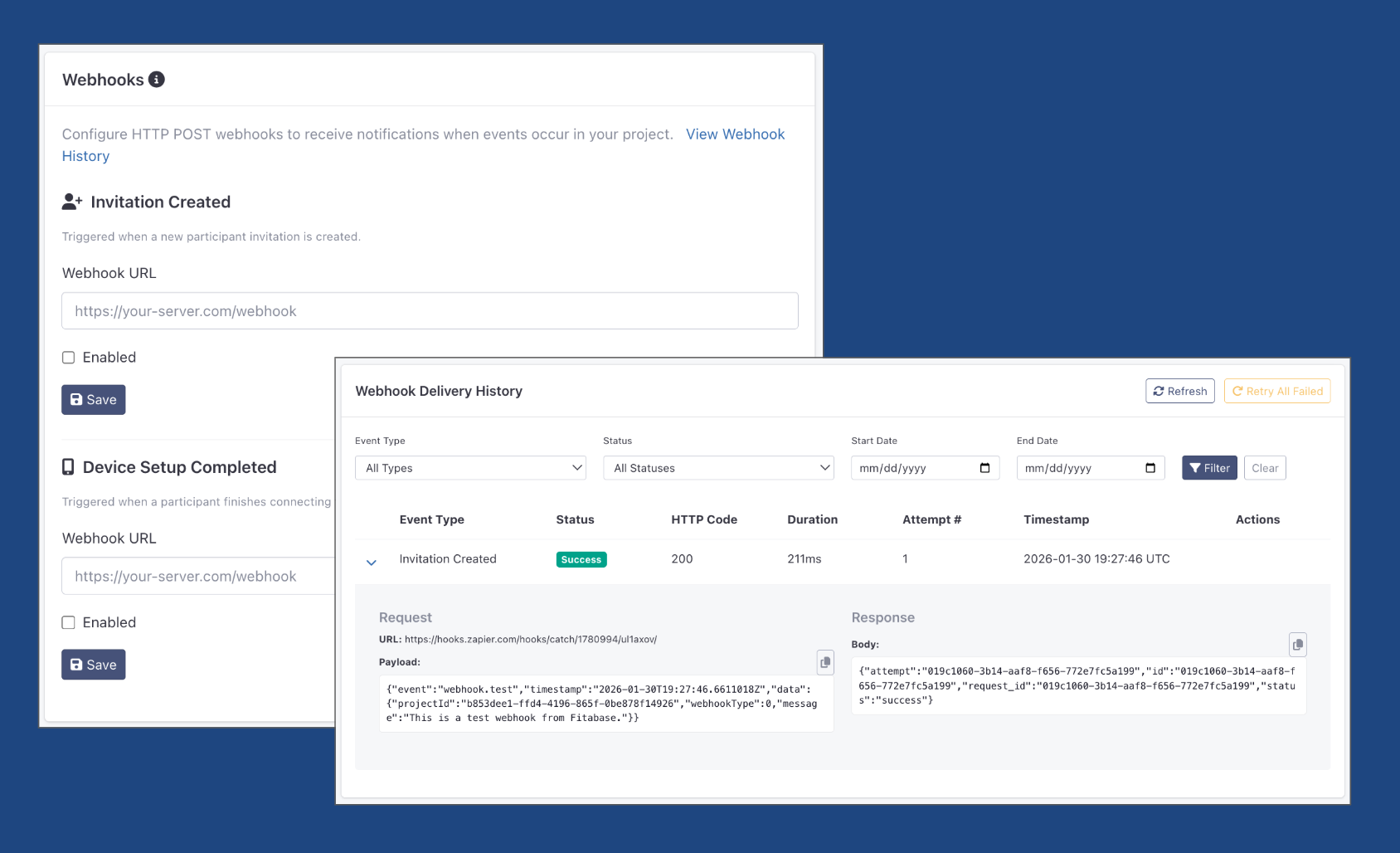
We’re excited to roll out a solution to that problem: webhooks! You can now incorporate webhooks into your Fitabase project to automate various workflows just like the one above.
With webhooks, you could:
- Create an Asana “schedule first check-in” task triggered by a participant successfully connecting, and assign that task to the coordinator in charge of the participant’s site
- Update your tracking spreadsheet automatically to show that a participant’s successfully connected their device to Fitabase
- Feed real-time enrollment figures into your tracking spreadsheet for easy reporting at any point in the study
To make webhooks work for your study, you’ll need an HTTPS endpoint that can receive a POST request and about five minutes to configure and test it out. If you’re eager to see what this new feature can do for you, send a note to hello@fitabase.com so we can walk you through a demo and set you up with a trial. We can’t wait to help you streamline your study.